Partner
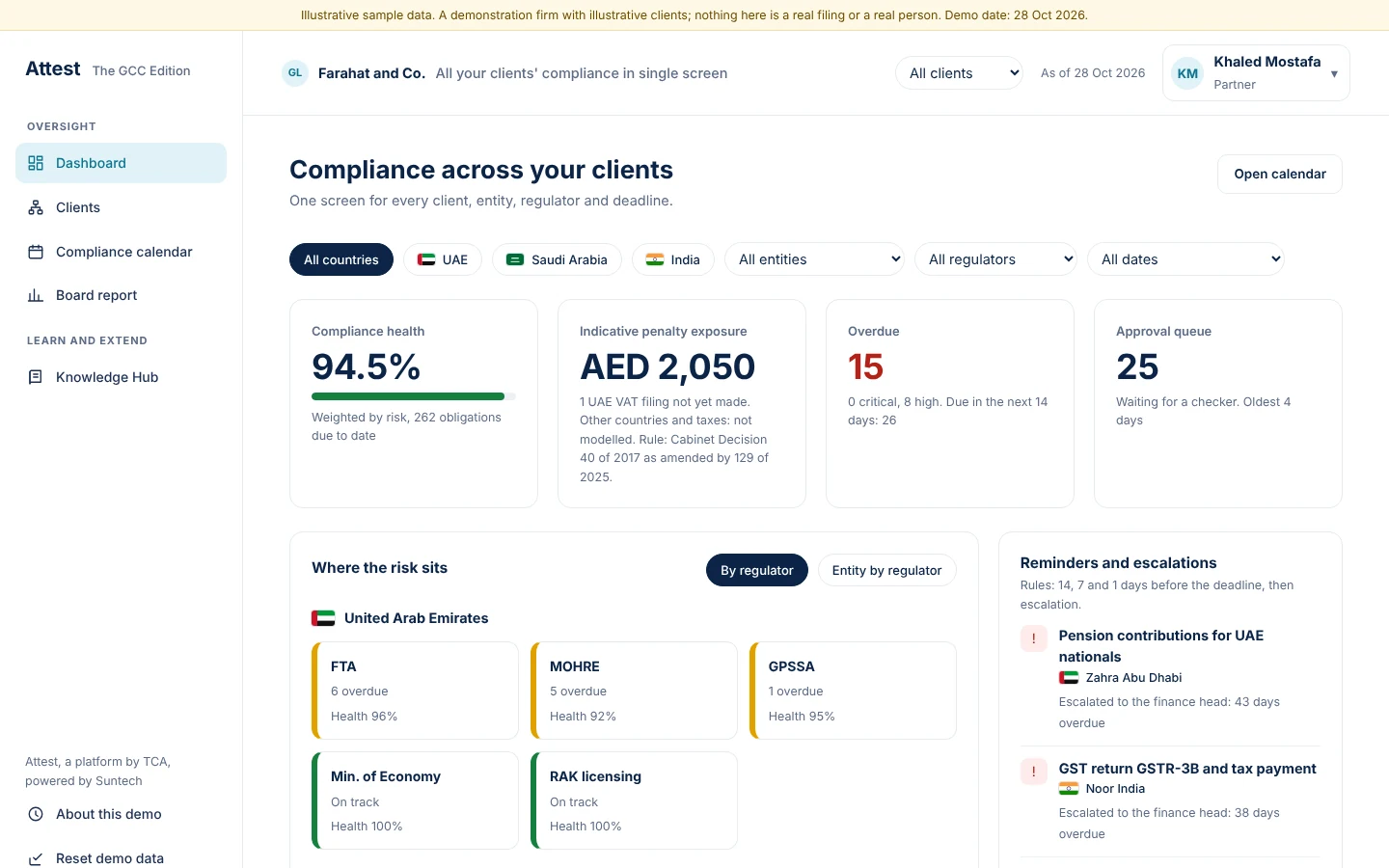
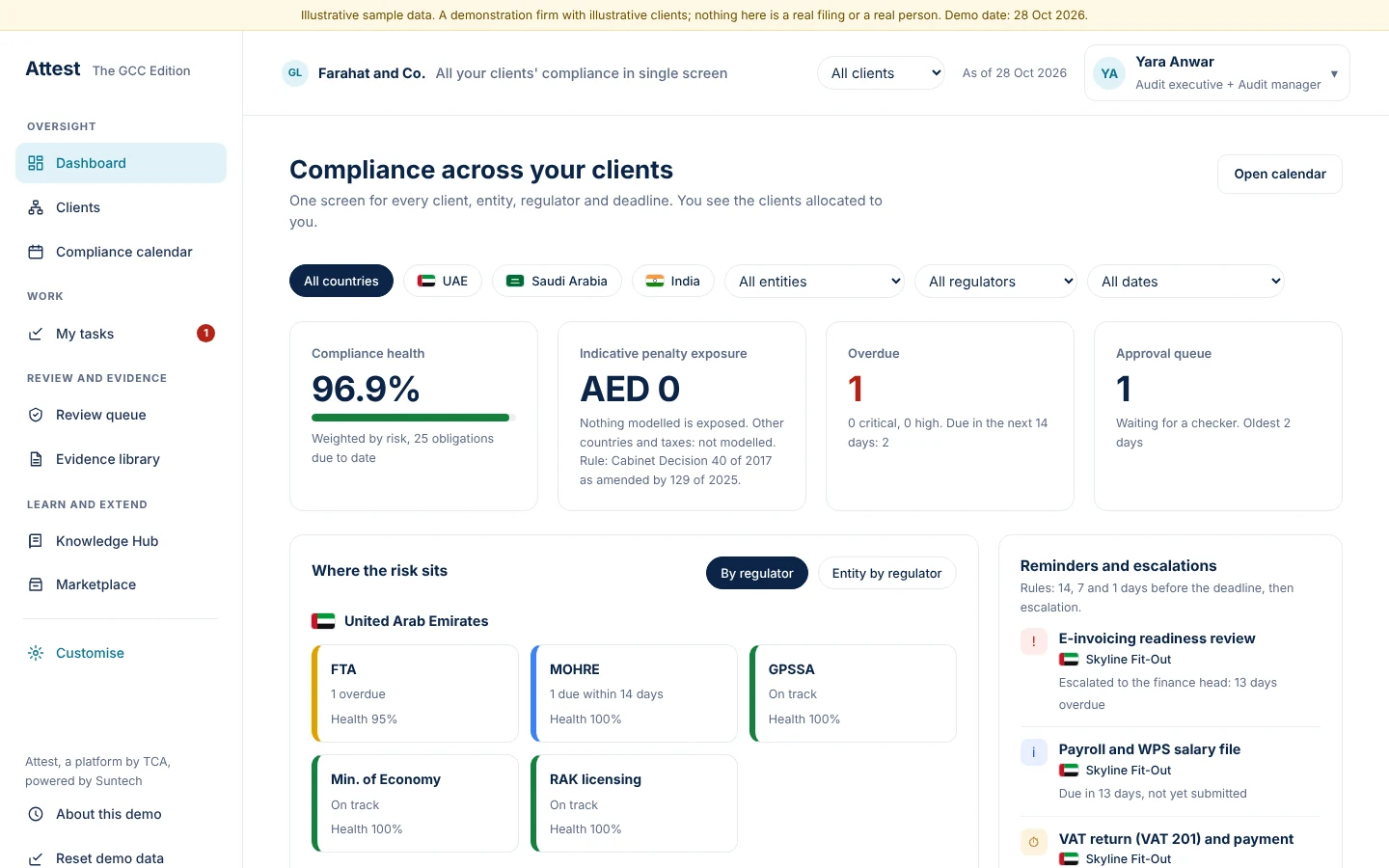
The dashboard shows health, exposure, overdue filings and the approval queue across all clients
- Risk-weighted health score; a critical overdue item caps it at 70%
- Indicative penalty exposure where a rule is cited (UAE VAT)
- Heat tiles by regulator
Attest, a platform by TCA, powered by Suntech6
Partner
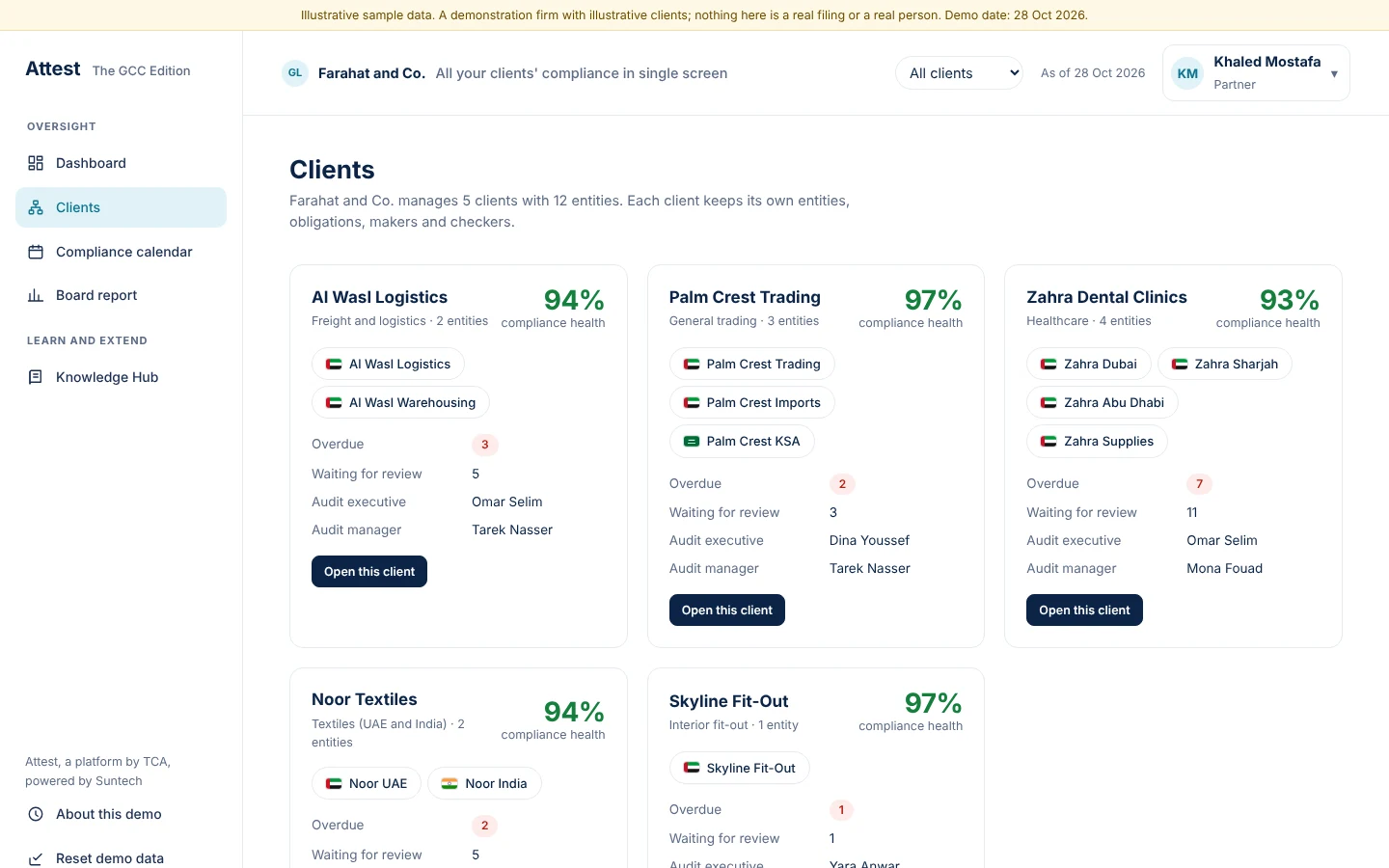
Clients: each card shows health, overdue items, review queue and the people allocated
- Open a client to see only its entities
Attest, a platform by TCA, powered by Suntech7
Partner
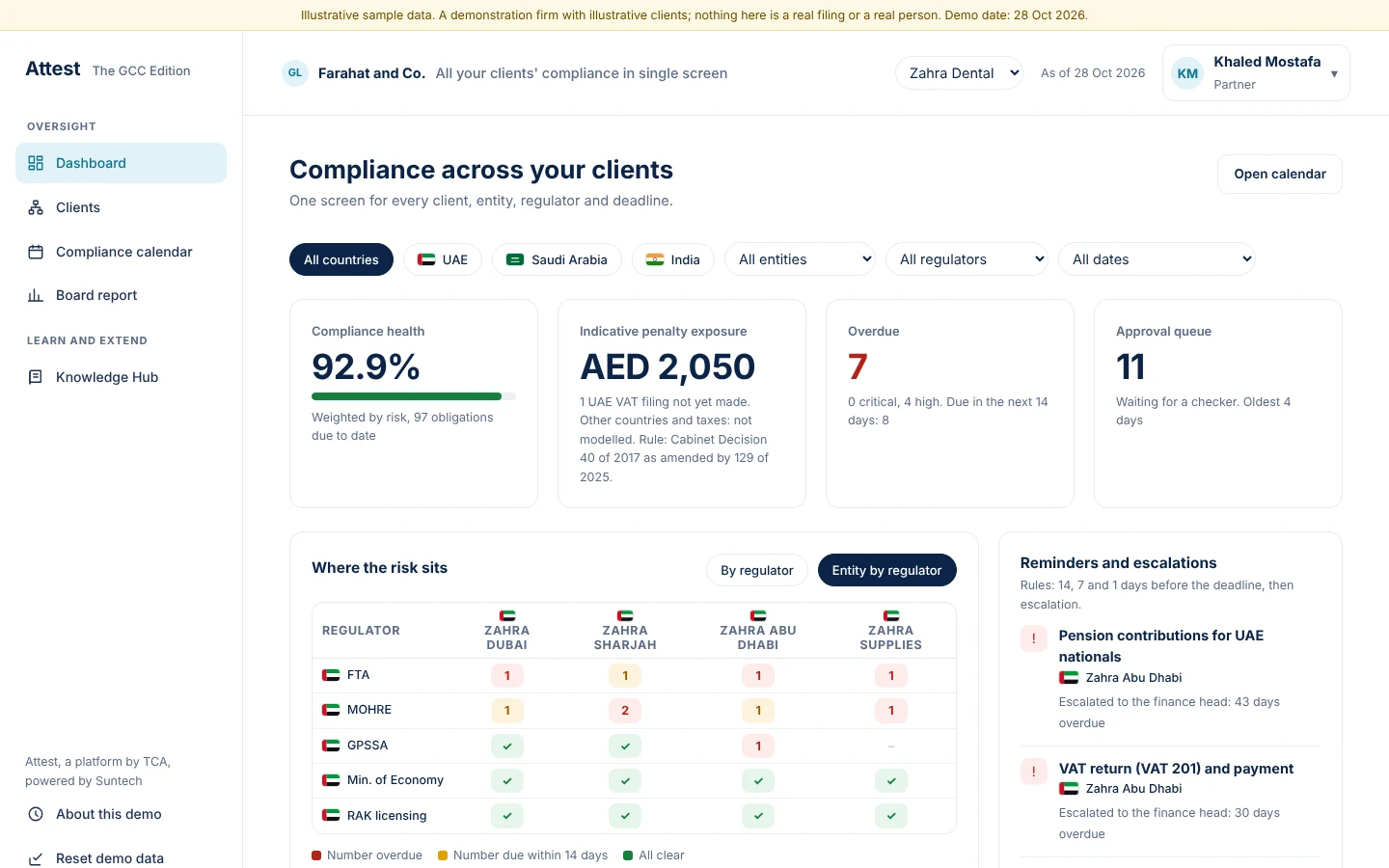
The client switcher narrows every screen to one client
- Dashboard, calendar, tasks and the review queue follow the switch
Attest, a platform by TCA, powered by Suntech8
Partner
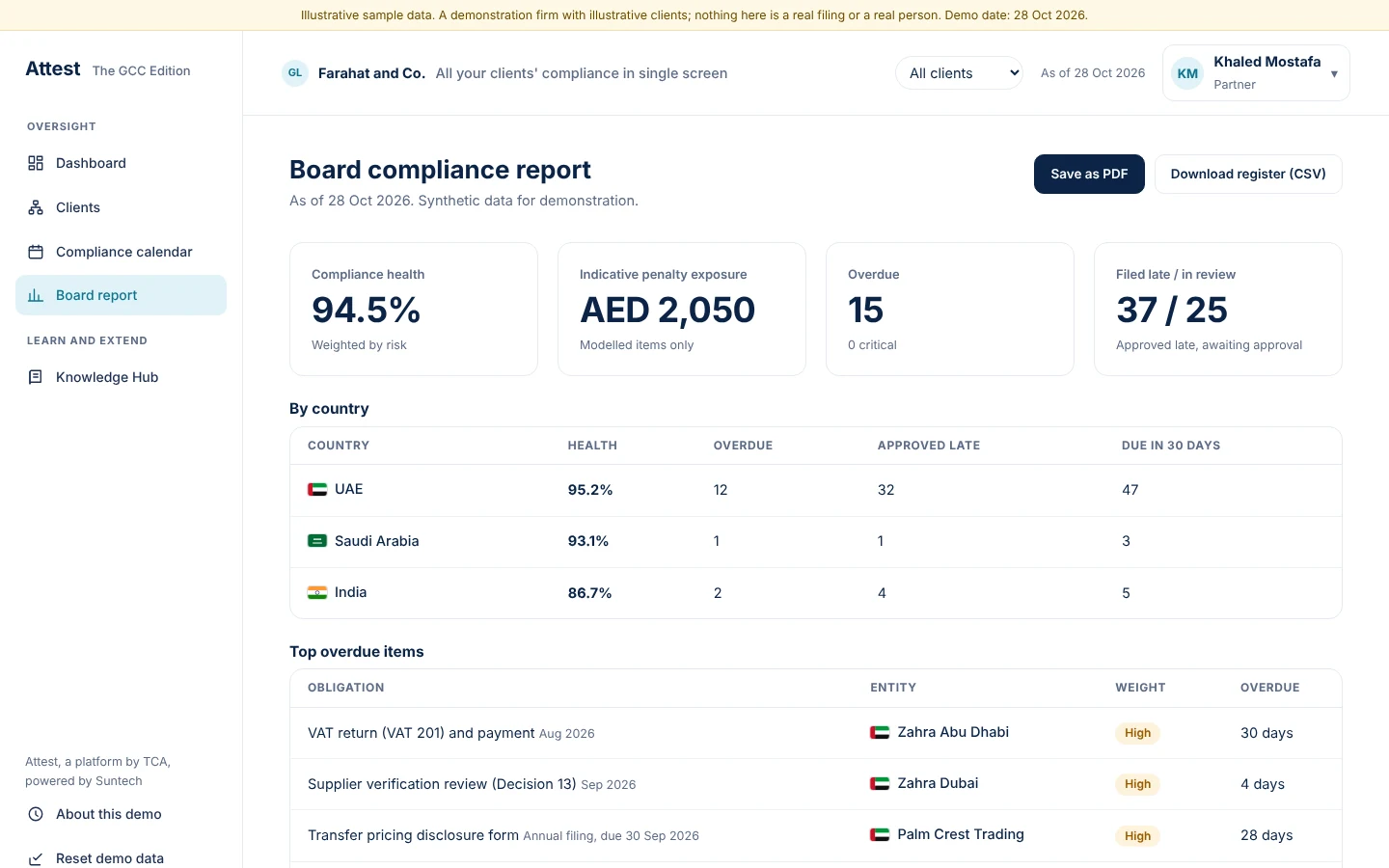
The report is ready to print or download
- Per client and per regulator
- Download the register as CSV
Attest, a platform by TCA, powered by Suntech9
Compliance admin (Tax Partner)
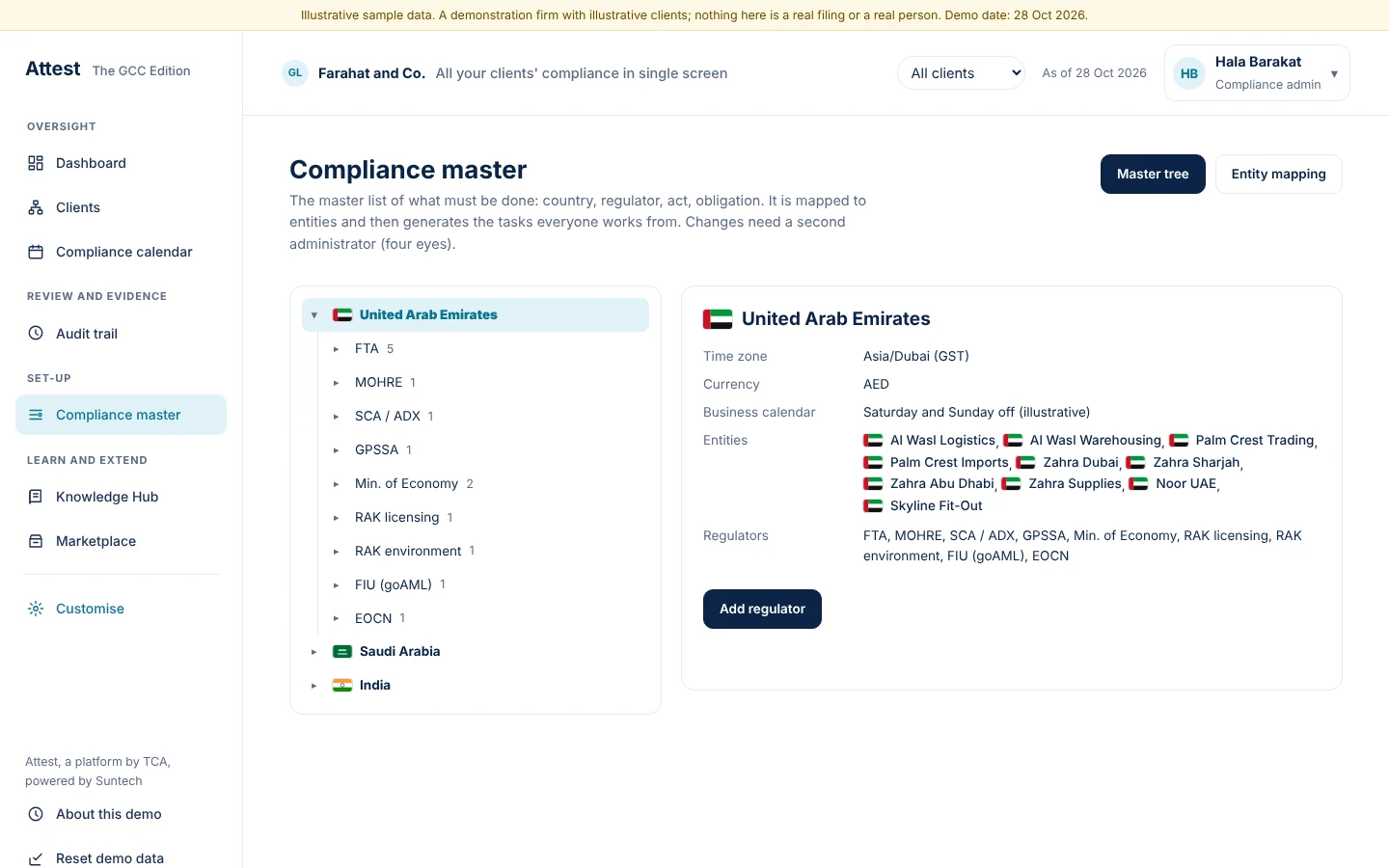
The master is a tree from country to regulator to act to obligation
- Obligation IDs and frequency live here
- A change needs a second administrator's approval
Attest, a platform by TCA, powered by Suntech11
Compliance admin (Tax Partner)
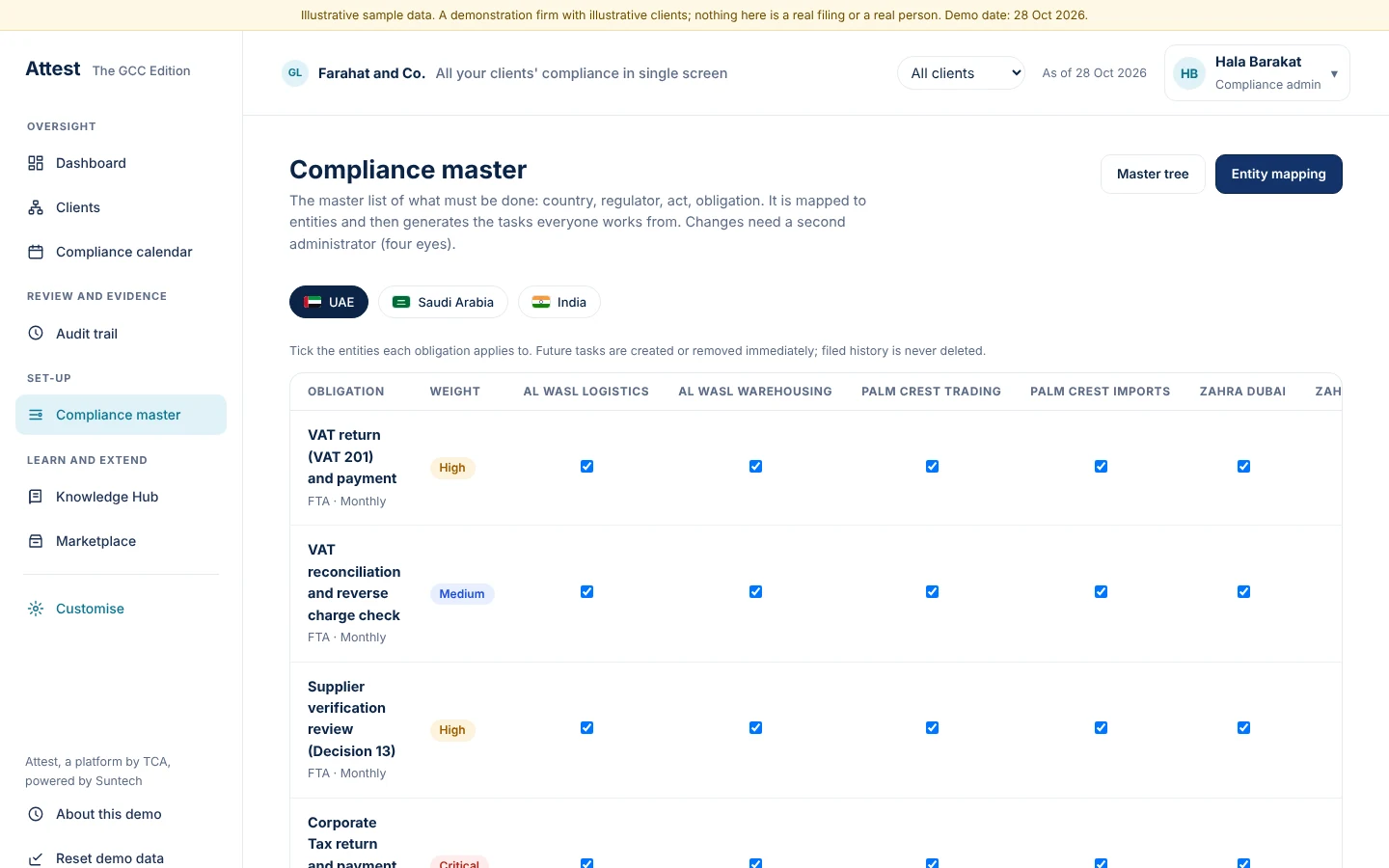
Tick the client entities each obligation applies to, and the tasks follow
- Mapping across all clients in one grid
Attest, a platform by TCA, powered by Suntech12
User admin
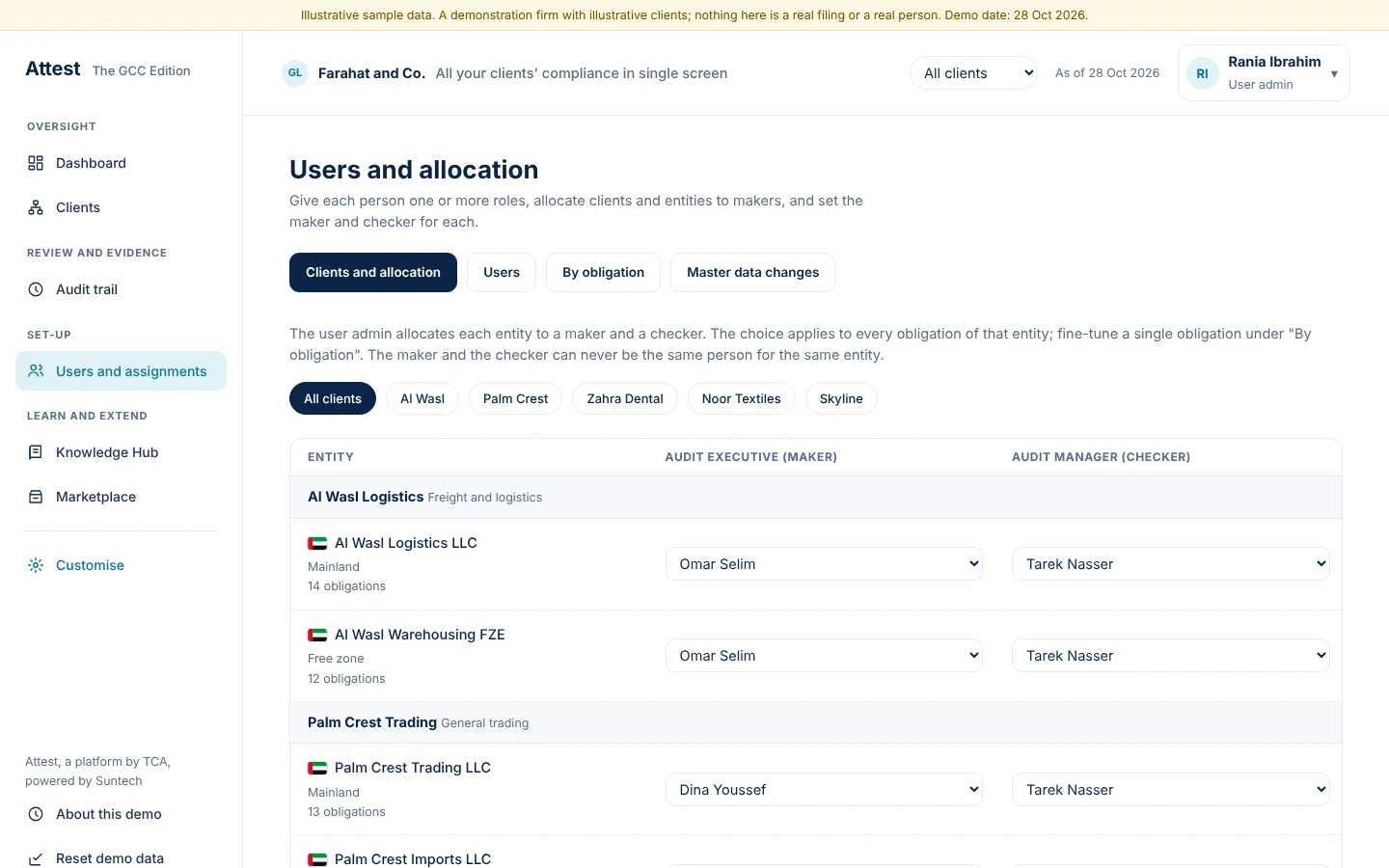
Allocate every entity to a maker and a checker
- One choice applies to all obligations of that entity; AML work can have its own people
- The maker and the checker can never be the same person for an entity
Attest, a platform by TCA, powered by Suntech14
User admin
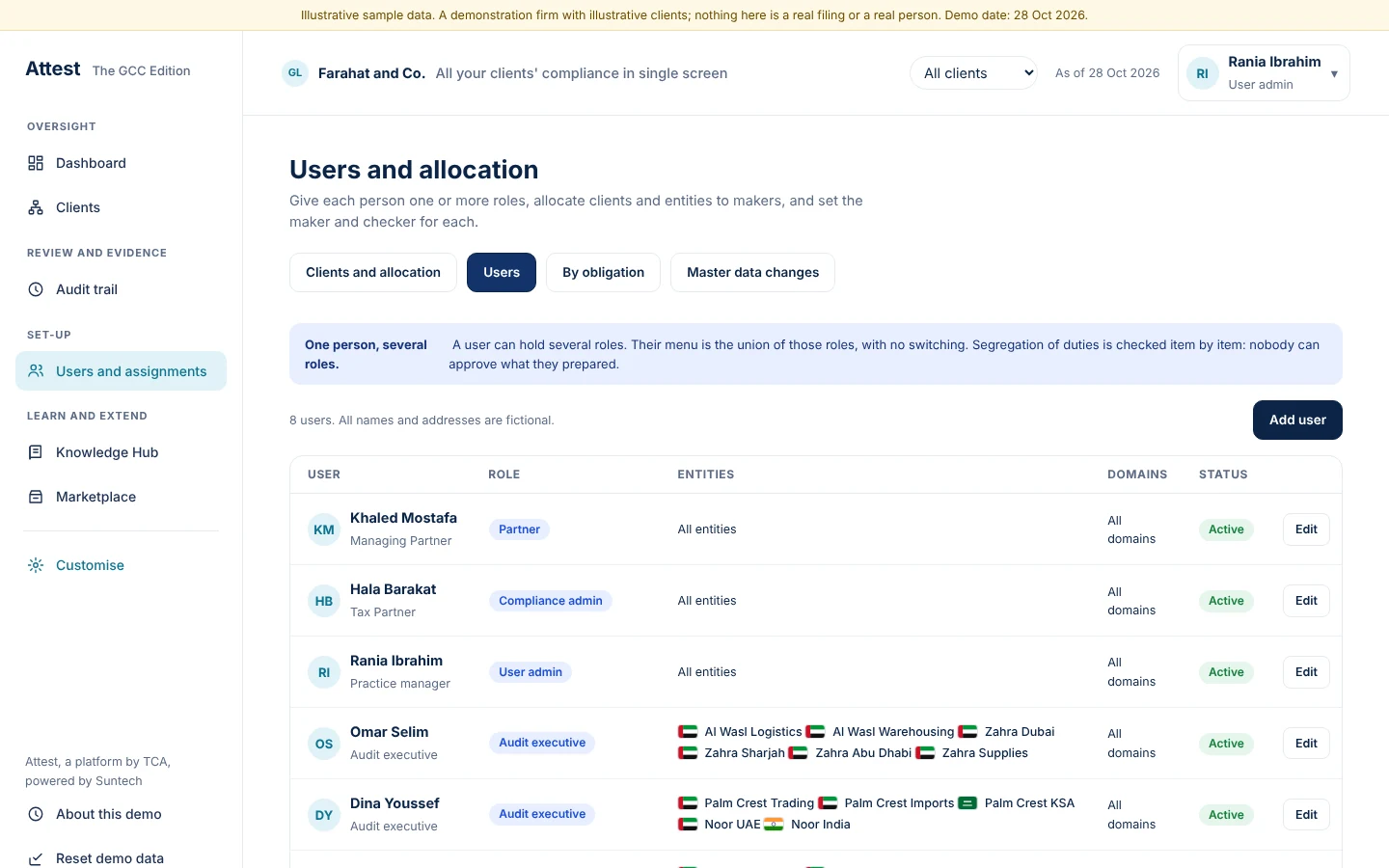
Users hold one or more roles, shown as chips
- Edit roles and entity scope for each person
Attest, a platform by TCA, powered by Suntech15
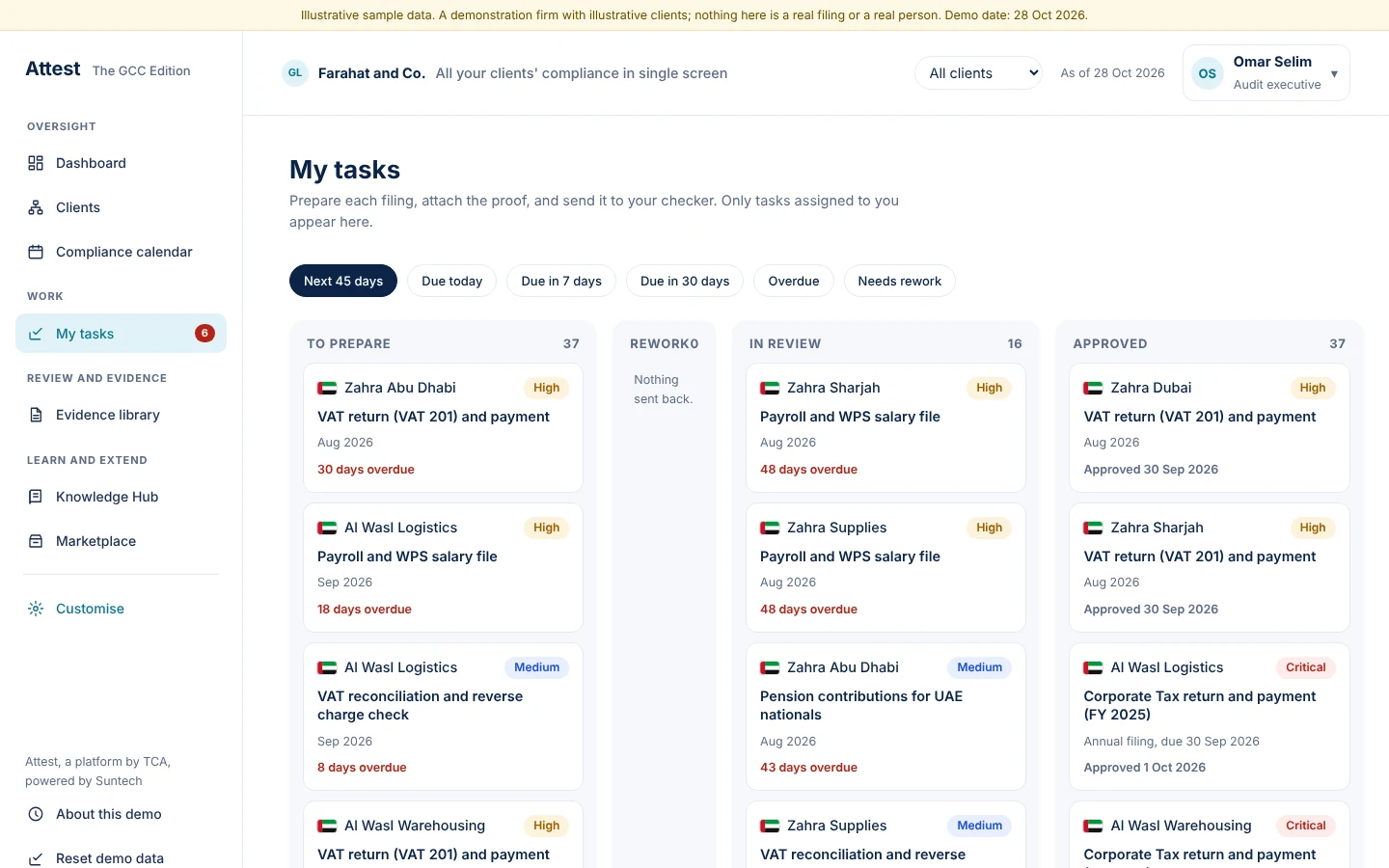
Maker
Tasks show only the entities allocated to this person, sorted by what is due
- Overdue and returned items first
Attest, a platform by TCA, powered by Suntech17
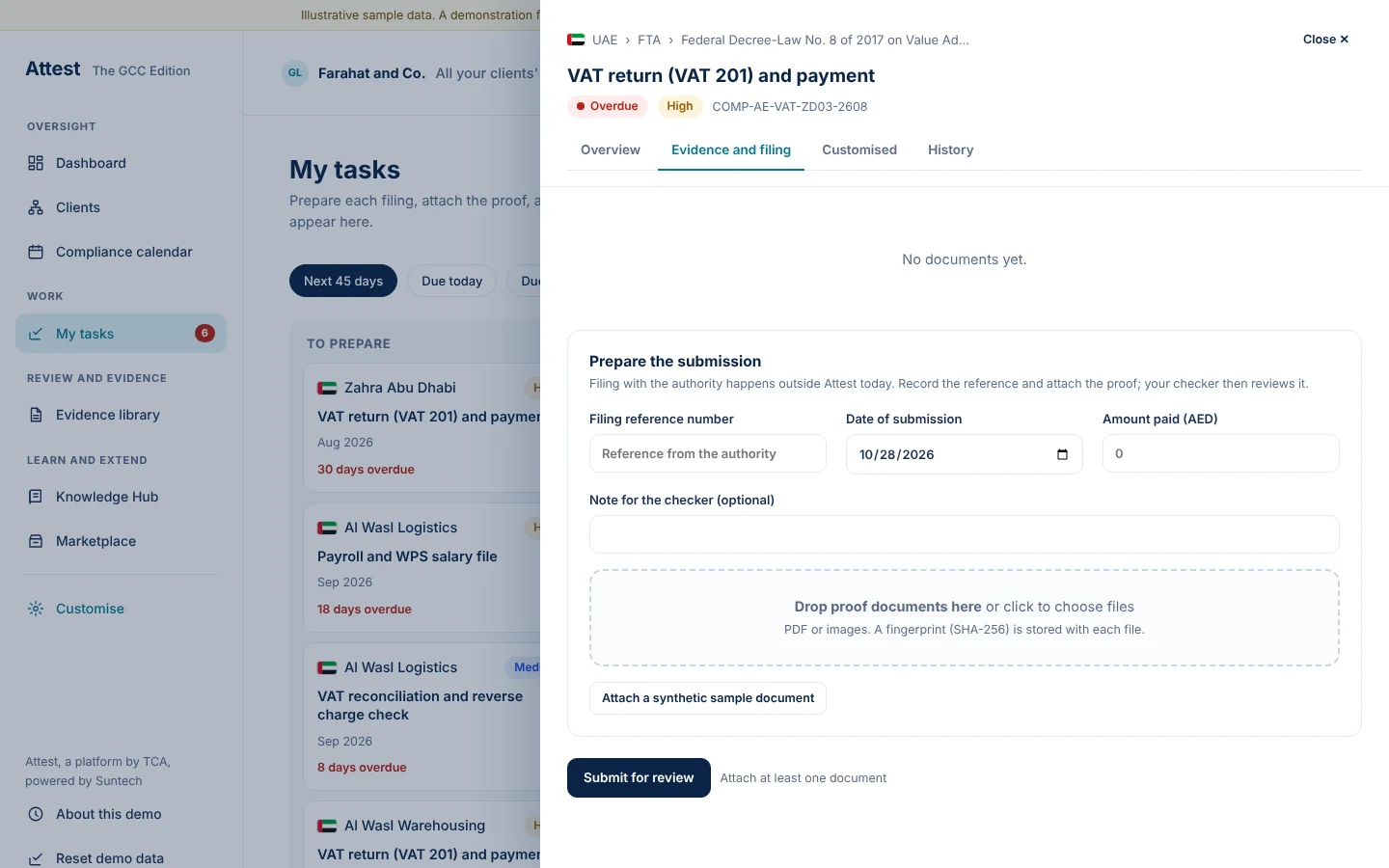
Maker
Each task states its legal basis, deadline and the proof required
- Owner, maker and checker are named
- Unverified legal bases are marked, not hidden
Attest, a platform by TCA, powered by Suntech18
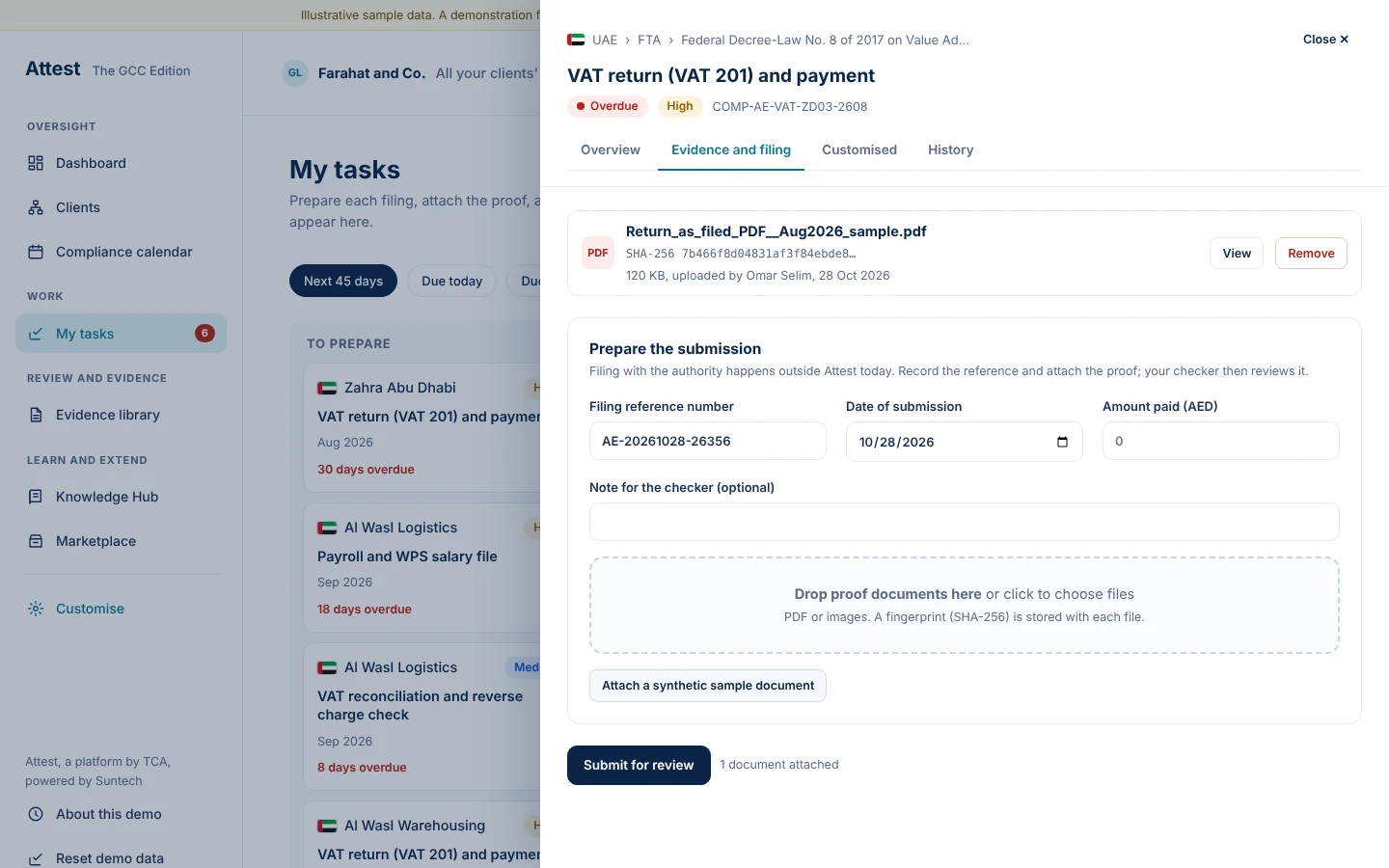
Maker
Proof is attached and fingerprinted, then submitted for review
- Drag and drop, or attach a sample
Attest, a platform by TCA, powered by Suntech19
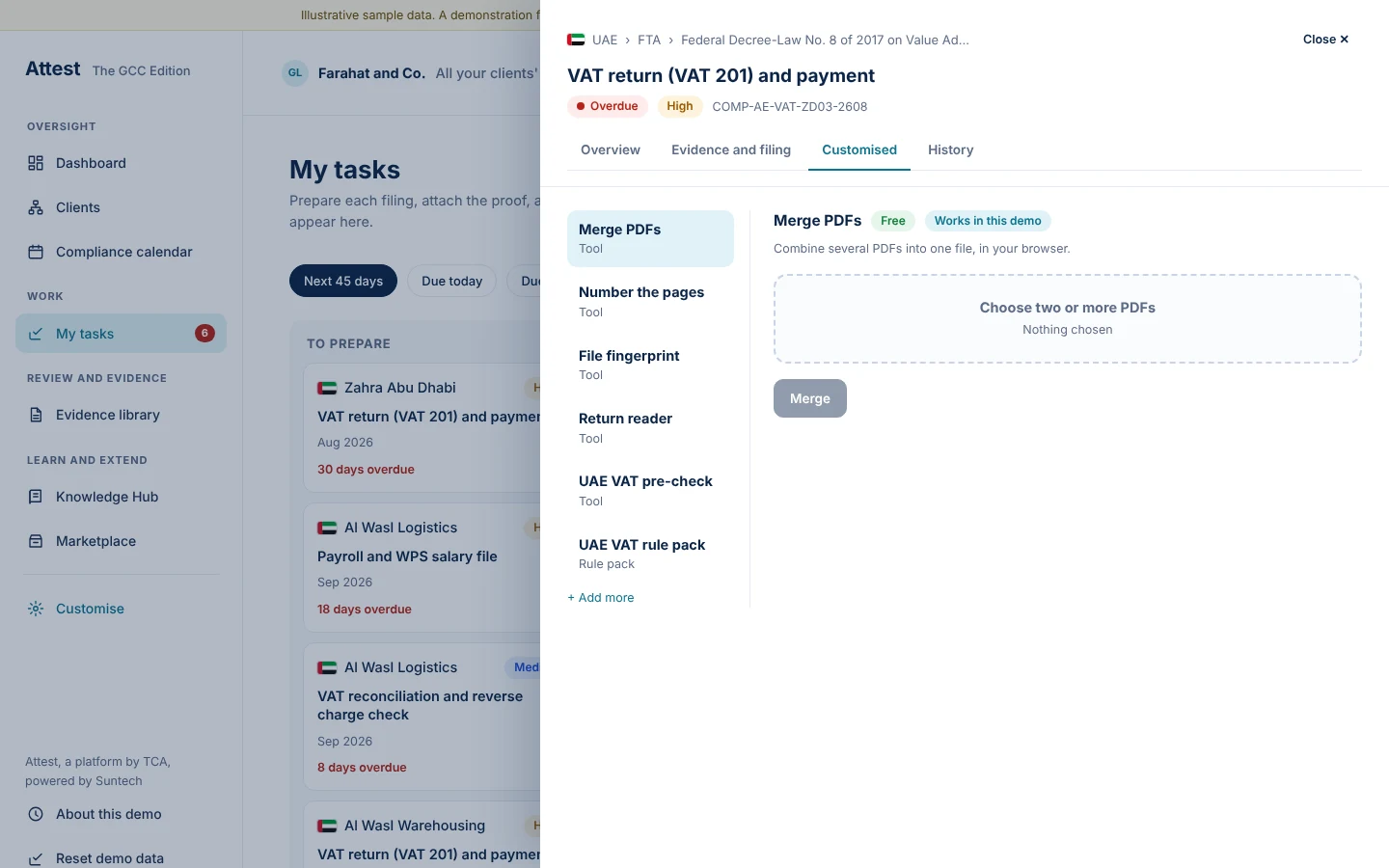
Maker
The Customised tab holds the tools the person subscribed to
- For example Merge PDFs, the VAT pre-check and rule packs
Attest, a platform by TCA, powered by Suntech20
Maker
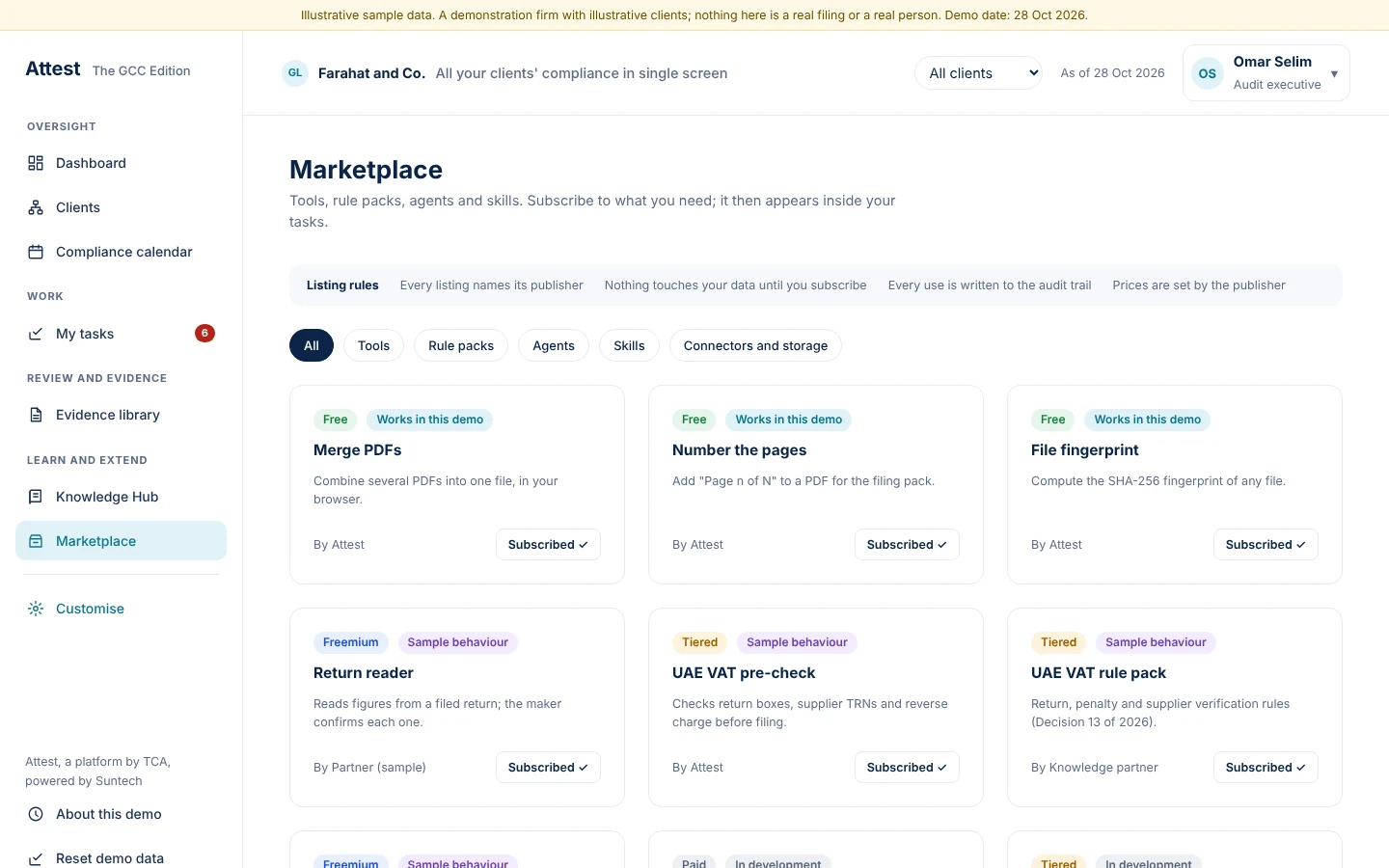
The Marketplace lists tools, rule packs, agents and skills
- Free, freemium, tiered and paid labels
Attest, a platform by TCA, powered by Suntech21
Maker
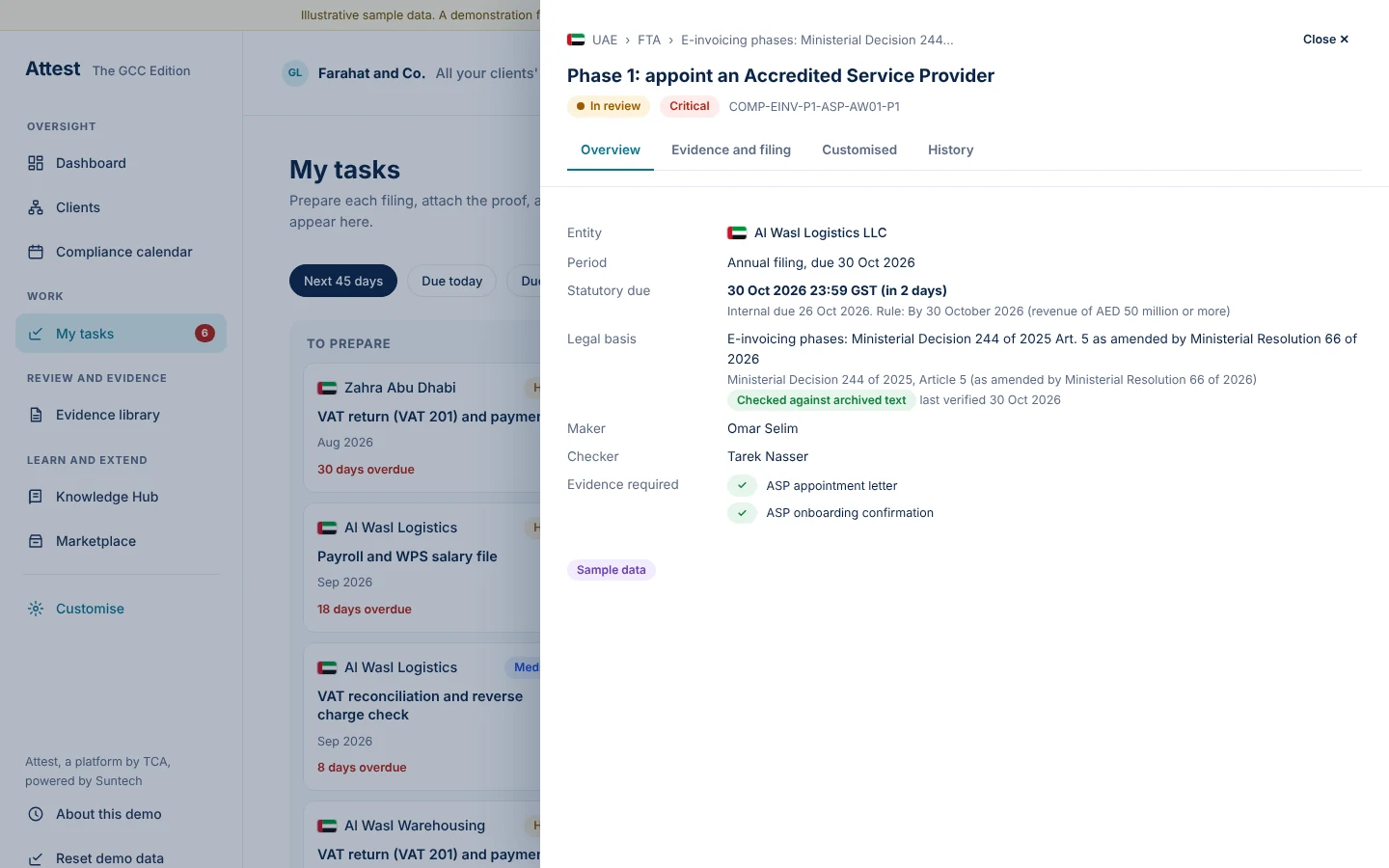
A phase of the e-invoicing plan is a task with a deadline, an owner and evidence
- ASP appointment letter and onboarding confirmation are the proof
Attest, a platform by TCA, powered by Suntech22
Checker
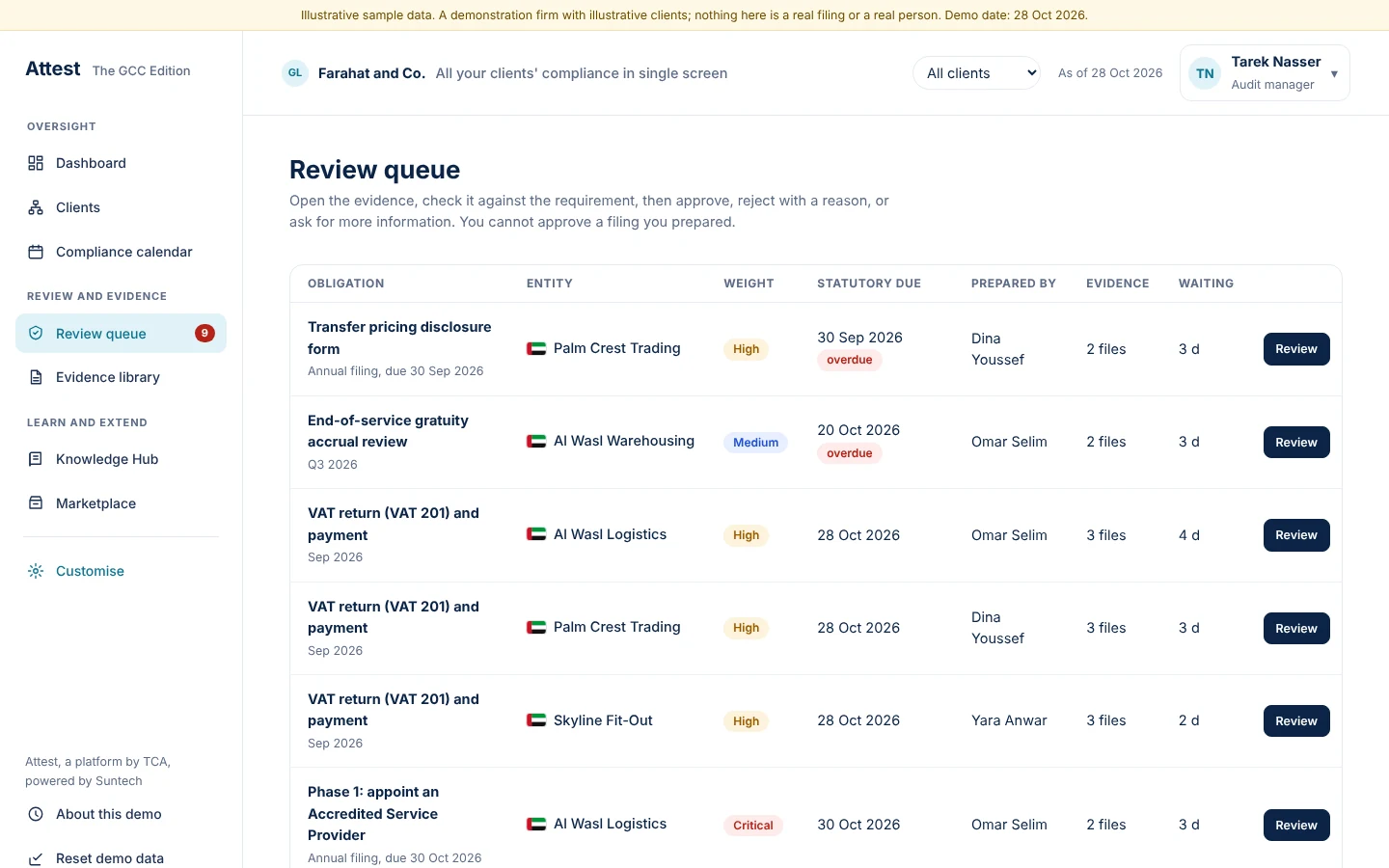
The review queue lists what waits, how long, and who prepared it
- A person cannot approve what they prepared
Attest, a platform by TCA, powered by Suntech24
Checker
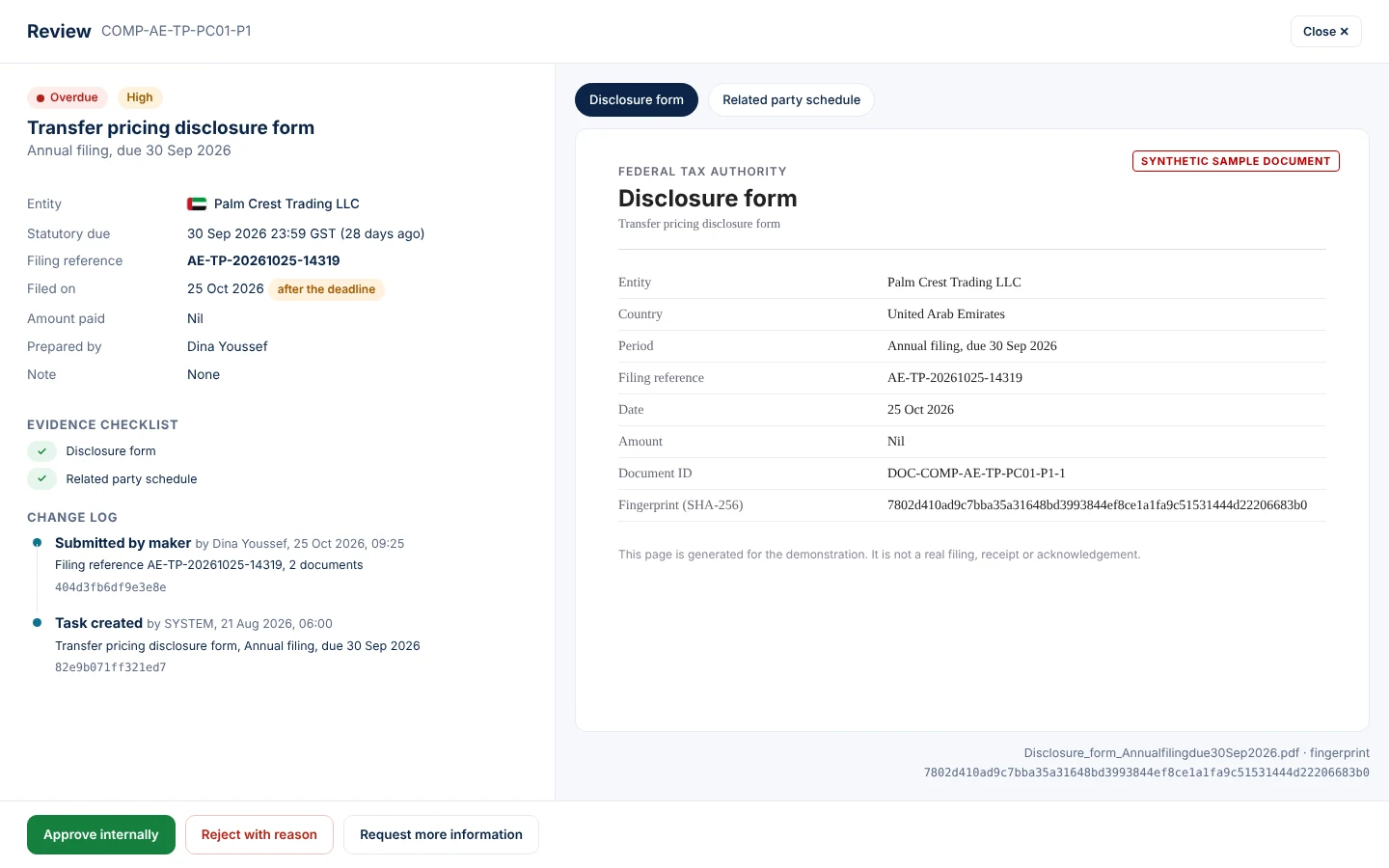
A split screen shows the details on the left and the document on the right
- Approve, reject with a reason, or ask for more information
Attest, a platform by TCA, powered by Suntech25
Senior article
One login carries maker and checker work; the menu merges
- Prepares for one client and reviews another
- Cannot review what they prepared
Attest, a platform by TCA, powered by Suntech27